
Notion enables users to manage information and projects from a central platform. It elevates this concept by offering direct connections with numerous other software applications. This makes it even easier for (remote) teams to collaborate.

How can you integrate these apps?
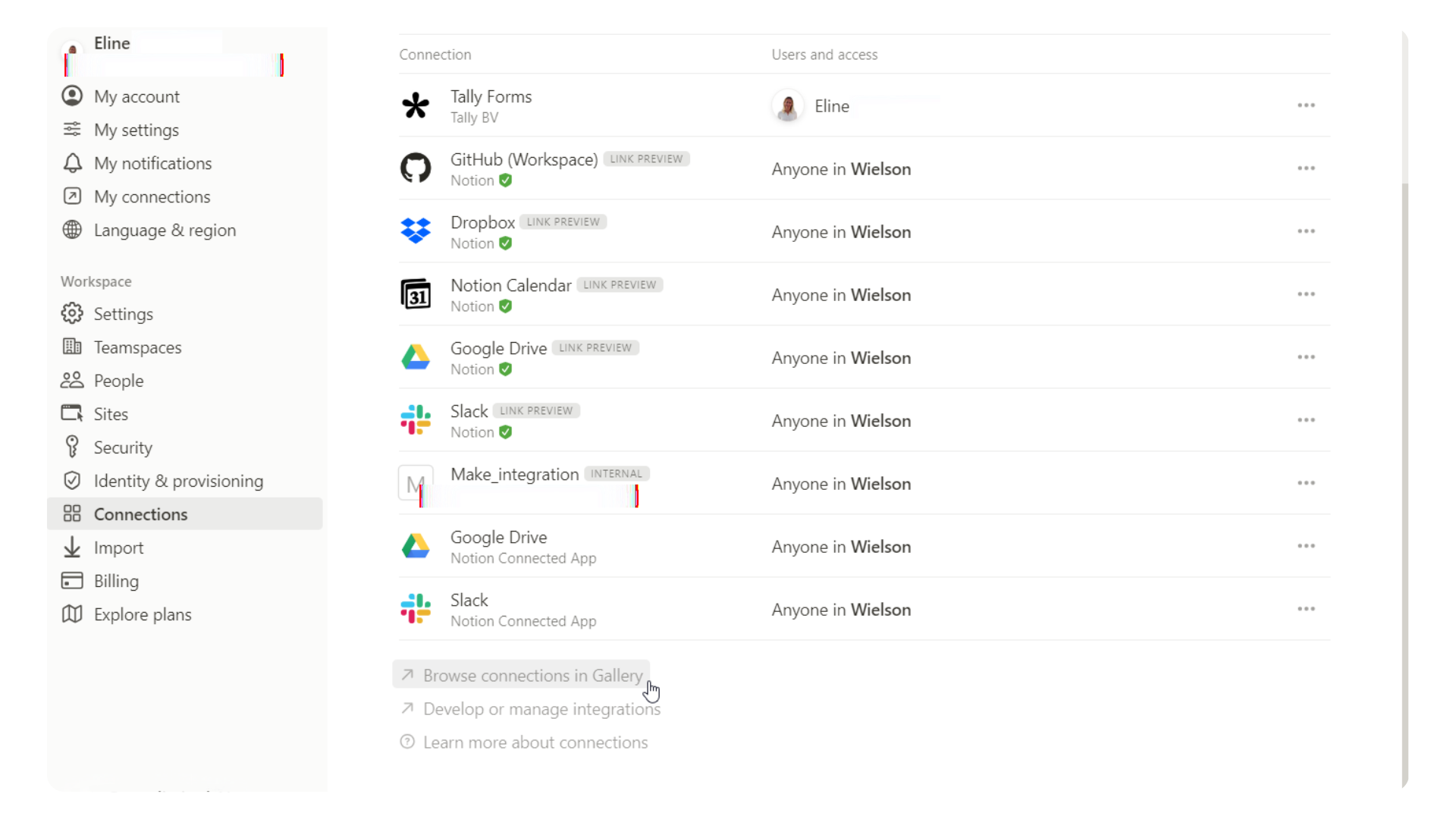
Via Settings & Members, you can see both your own connections (My connections) and those of everyone in your Notion workspace (Connections).
As an administrator, you can manage all connections and determine which members do or do not have access to certain apps. Depending on your plan, you can create a list of allowed connections for members.
You can review the complete list of connections on this page. Popular tools include Canva, Dropbox, Miro, Jira, and GitHub.
Sometimes you may want to connect an app to only one or a few pages in Notion. In that case, you need to manually connect it via the three dots in the top right corner of your page.
Connection or integration?
Connection
A connection in Notion refers to linking Notion with another app, and it can often be bidirectional, meaning data can flow in both directions. Some connections, like Figma, can even be added as a property to your database*. Examples include:

Integration
An integration in Notion goes a step further and often offers more extensive and specific functionalities. Integrations are usually designed by the developers of Notion or by third-party developers to work seamlessly with the Notion environment. Despite the large range of connections, it is possible that there is no direct connection with your favourite tool. In that case, you can use automation tools like Make to connect that app with Notion.
Conclusion
Thanks to the ability to connect Notion with other tools, it becomes even easier for teams to collaborate. These connections ensure that you can seamlessly share and synchronise information between different applications. All you need is an internet connection.
At Wielson, we use various connections to optimise our workflows. For those cases where a specific tool cannot be directly integrated with Notion, we use Make. This allows us to create customised solutions that ensure our systems and applications work perfectly together.
With Notion and the right connections, collaboration becomes an effortless and seamless experience.
*Called ‘data source’ per 03/09/2025 .